
Google Calendar Sync for Fishing Guides: Never Miss a Booking Again
What's New at Fish Roulette
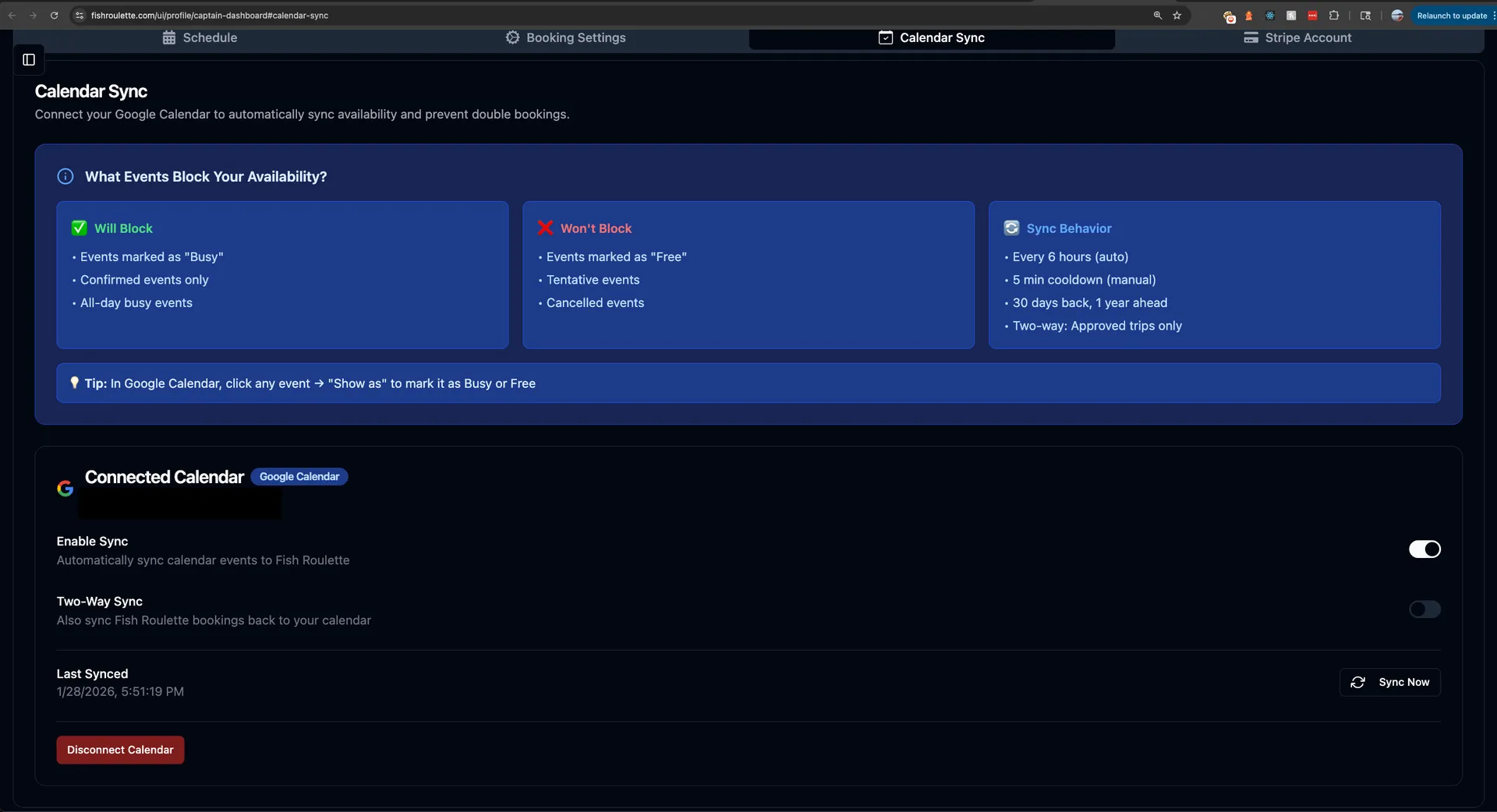
We just rolled out something that's going to make life a whole lot easier for fishing guides: Google Calendar Sync.
Here's the deal; you can now hook up your Google calendar directly to your Fish Roulette calendar. That means no more juggling two different schedules or accidentally booking two trips at the same time. Everything happens automatically in the background, so you can spend less time staring at screens and more time doing what you love; getting folks out on the water.
If you've got a Google email (like Gmail or GSuite business), you can start using this right now. And the best part? It won't cost you a penny extra.
Why We Created This Feature
This wasn't something we just dreamed up in a meeting room. The idea came straight from conversations with full-time fishing captains who desire to use our platform on the regular.
These guides told us that other booking platforms already offer calendar syncing, and it genuinely makes their lives easier. When your schedule lives in one place; whether you're checking it on your phone while rigging up at the dock, on your laptop at home, or on your tablet between trips - everything just flows better.
We heard you loud and clear: managing bookings shouldn't feel like a second job. So we built this tool to take that headache away.
Why We Started with Google Calendar
When our team sat down to build this feature, someone asked a really good question: "Why don't we just sync with every calendar app out there?"
It's a fair point. After all, people use all kinds of calendars; Apple Calendar, Outlook, Yahoo, and plenty of others.
Moving Fast to Help Captains Now
Here's our thinking: we wanted to help the people asking for this feature today, not six months from now.
If we tried to build connections to every possible calendar system all at once, it would take forever. We'd be stuck in development while real captains with real businesses kept dealing with scheduling headaches. That didn't sit right with us.
By focusing on Google Calendar first; which a huge number of people already use, we could ship something helpful right away. It's like when you're fishing: sometimes you've got to use the lure that works for most of the fish in the area before you start experimenting with specialty baits.
What About Other Calendar Apps?
That said, we know Google isn't everyone's cup of tea. Maybe you're an Apple person through and through, or your business runs on Outlook.
We want to hear from you.
If you're a fishing captain who needs to sync with a different calendar provider, don't keep it to yourself. Once you're logged into Fish Roulette, look for the "Share Feedback" link on the left sidebar. Tell us what calendar you use and why it matters to your business.
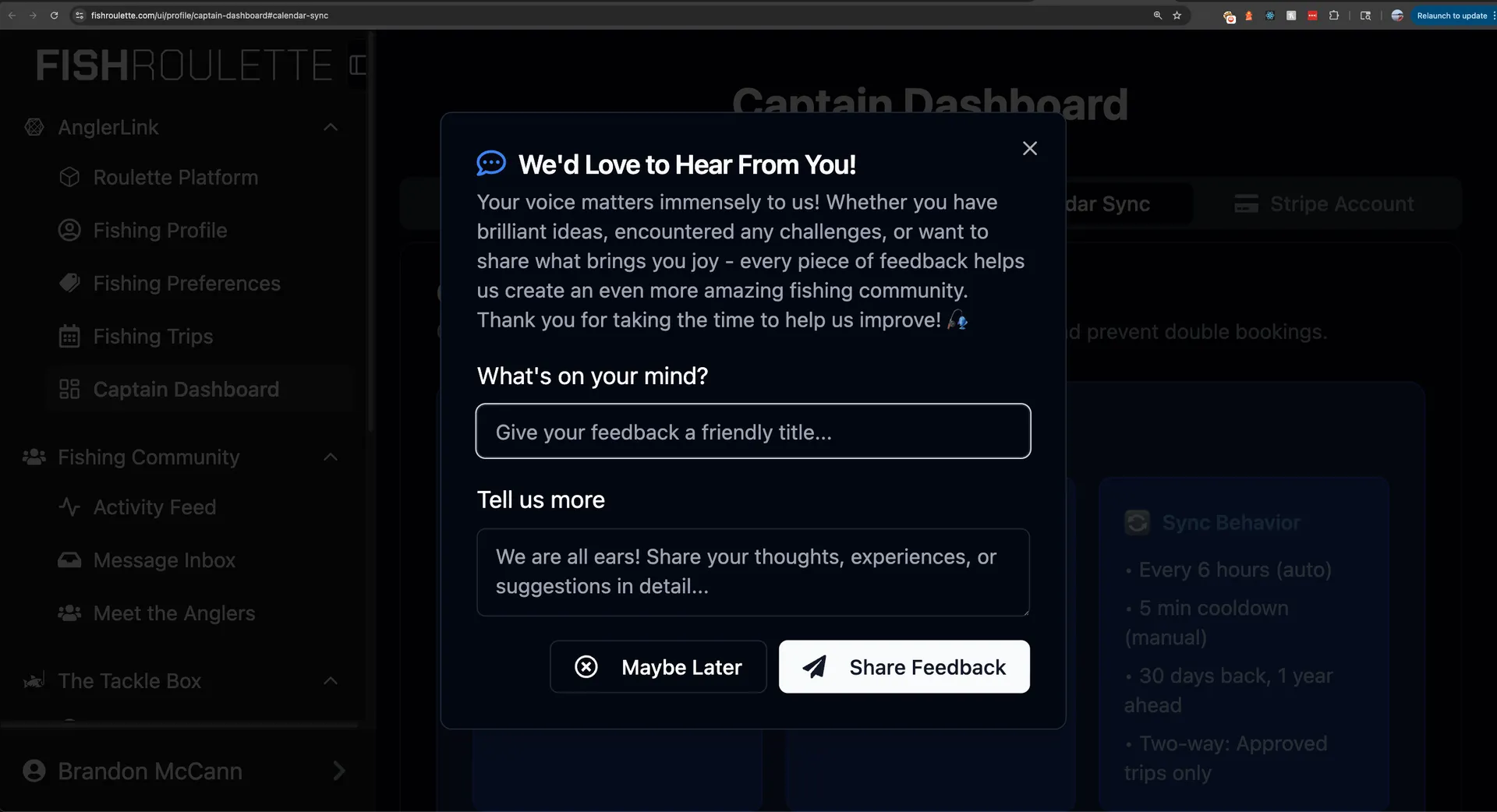
Your feedback directly shapes what we build next. We're not guessing what captains need; we're asking you and then making it happen.
How Google Calendar Sync Actually Works
We didn't just slap together a basic calendar connection and call it a day. We built this feature to be flexible because we know every captain runs their business a little differently.
Two Sync Options to Choose From
When you set up calendar sync, you get to pick the option that fits your workflow:
Option 1: One-Way Sync (Google to Fish Roulette)
This is the simpler setup, and it works great if you like managing everything from your Google calendar.
Here's how it works:
- Any event in your Google calendar marked as "busy" or "confirmed" automatically copies over to Fish Roulette
- Those blocked-off times show up as unavailable to customers trying to book with you
- You keep doing what you're already doing; managing your Google calendar like normal
- Fish Roulette checks for updates every six hours and adjusts your availability automatically
Perfect for: Captains who already live in their Google calendar and want Fish Roulette to follow along
Option 2: Two-Way Sync (Google ↔ Fish Roulette)
This option keeps both calendars perfectly in step with each other.
Here's the magic:
- When someone books a trip on Fish Roulette, it shows up in your Google calendar
- When you block off time in Google calendar, it marks you unavailable on Fish Roulette
- Changes flow both directions, so your schedule stays accurate everywhere
- Everything updates automatically; no manual entry needed
Perfect for: Captains who book trips through multiple channels and need everything synchronized
Quick Setup Guide
Getting started takes just a few minutes:
- Log into your Fish Roulette captain dashboard
- Navigate to Calendar Settings
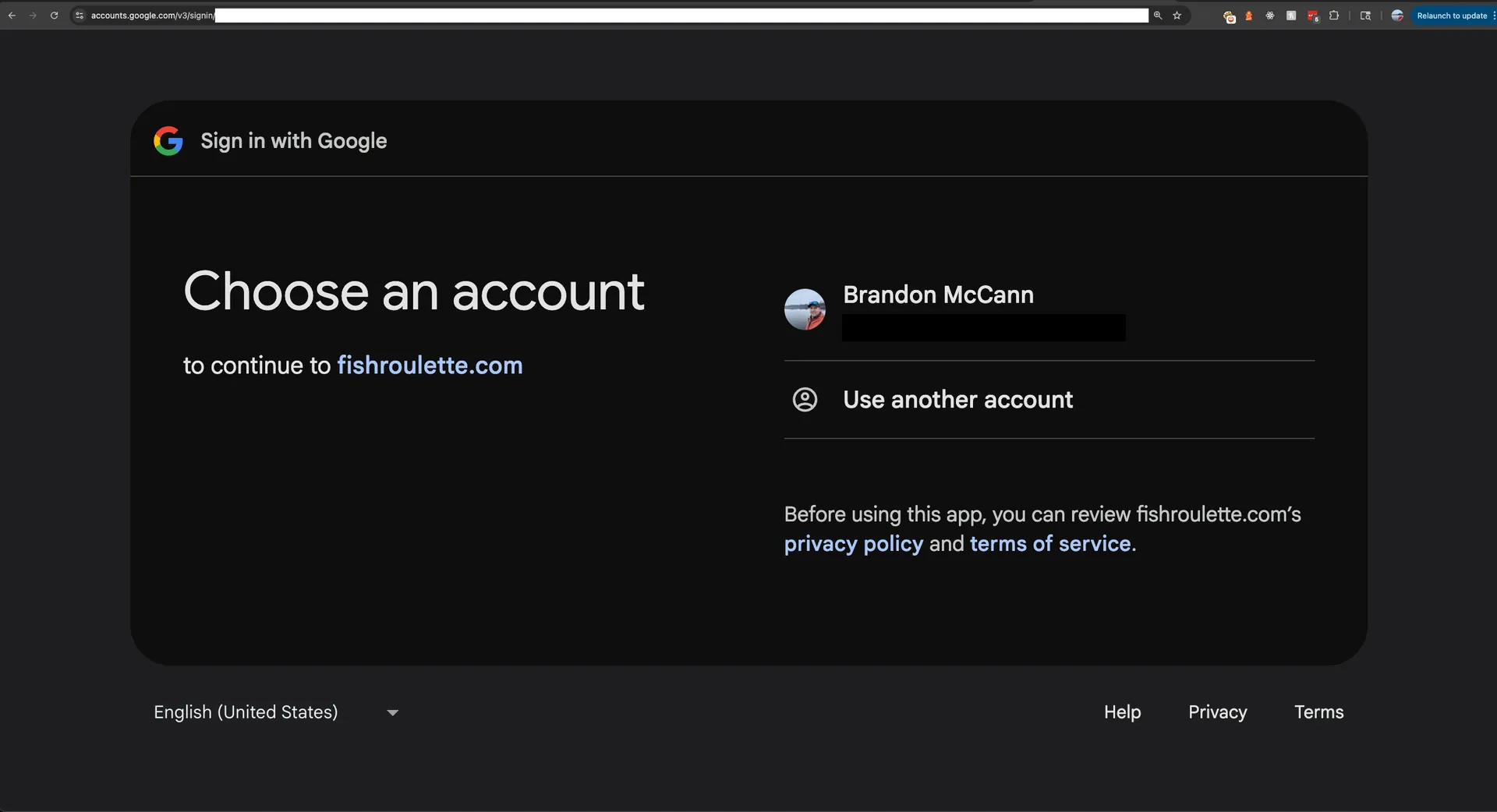
- Click "Connect Google Calendar"
- Choose your sync preference (one-way or two-way)
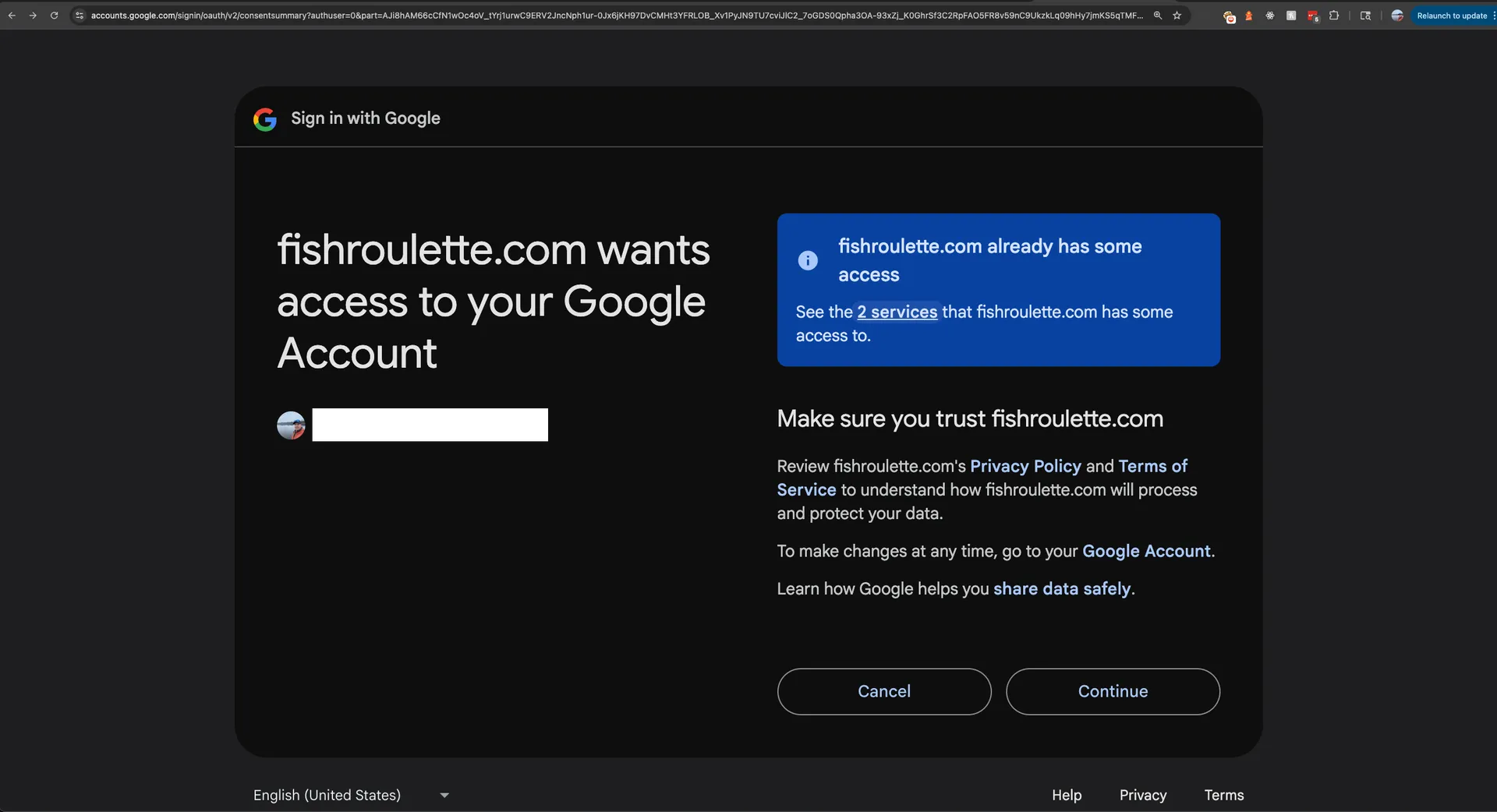
- Authorize the connection
- You're done! Your calendars will sync automatically
No Extra Work Required
The whole point of this feature is to save you time, not create more tasks. Once you've got it set up, the system runs quietly in the background. You won't need to remember to update two places or worry about whether your availability is accurate.
It's designed to fit into whatever routine you've already got going. If you're the type who blocks out time for boat maintenance, family events, or other guide trips in your Google calendar, those blocks will now protect your Fish Roulette availability too.
Our Promise to Fishing Captains
This calendar sync feature represents something bigger than just a cool new tool. It's part of a commitment we're making to every captain on Fish Roulette.
Building With You, Not Just For You
There's a difference between building software for people and building it with them. We're choosing the second path.
That means:
- We listen first: Features like calendar sync came from actual conversations with working captains
- We move quickly: When you tell us something's important, we prioritize it
- We stay focused: We're not trying to be everything to everyone; we're laser-focused on making your fishing guide business easier to run
- We keep improving: Your feedback directly influences our development roadmap
Calendar sync is just one step in shaping the future of how fishing trips get booked. We've got more coming, and it's all driven by what you tell us you need.
We're building Fish Roulette with captains, not just for them. Your feedback shapes every feature we create.
Join the Fish Roulette Community
Right now, Fish Roulette is in open beta. That's a fancy way of saying the platform is live, core functionality working, and getting better every single day.
What Open Beta Means for You
Being in beta doesn't mean "half-finished" or "unreliable." It means we're actively developing new features, listening to feedback, and making improvements based on real-world use.
As an early adopter, you get:
- Access to new features first: Like this Google Calendar sync
- A direct line to our development team: Your voice actually matters
- No extra cost: Features like calendar sync are included for all captains
- A chance to shape the platform: The tools you need become the tools we build
We're All Ears
Got ideas for features that would make your life easier? Questions about how something works? Frustrated by something that could be better?
We genuinely want to hear from you.
The "Share Feedback" button isn't just for show; it goes straight to our team, and we read every single message. Some of our best features (including this calendar sync) started as suggestions from captains just like you.
Ready to Sync Your Calendar?
Setting up Google Calendar sync takes less time than rigging a new rod. If you've got a Google email, you can be up and running in just a few minutes.
Log into your Fish Roulette captain dashboard, head to your calendar settings, and look for the Google Calendar connection option. Pick the sync style that fits your workflow, authorize the connection, and you're done.
From that moment on, your schedule stays accurate automatically. No more double bookings. No more manually blocking out time in two different places. Just a smooth, organized calendar that lets you focus on what really matters; putting your clients on fish.
Let's Keep Building Together
Fish Roulette isn't just another booking platform. It's a tool built by people who care about fishing and who respect the work that guides do every day. We're committed to making your business easier to run, one feature at a time.
Calendar sync is live now. What should we build next? Log in and let us know.